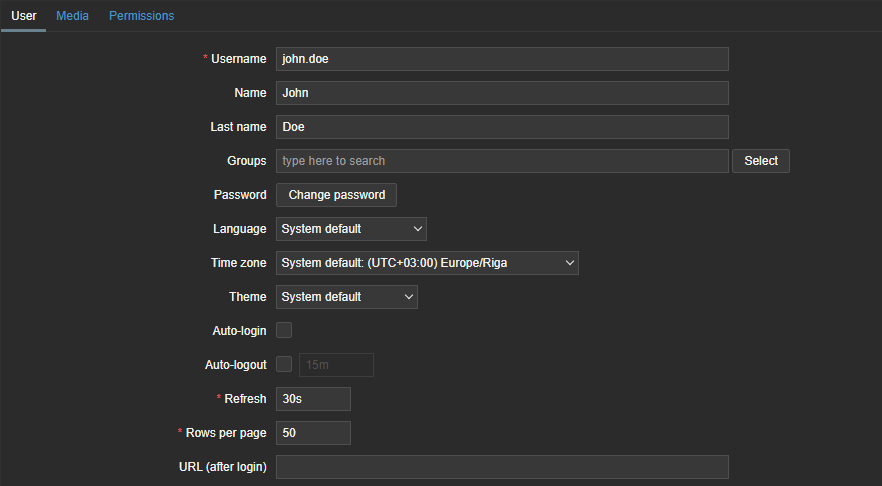
Zabbix user
Zabbix users serve as the basis for Prisma users and are imported into Prisma. Prisma users can then be part of a Prisma user group, to work with various features of Prisma.
To be imported into Prisma, Zabbix users must already exist on a Zabbix server and must be a member of a user group referred to as a “dfu_import” group. Prisma is able to add Zabbix users to the Zabbix user group via the import wizard of Prisma. If a user is imported using the import wizard, they are not automatically assigned to a Prisma user group. However, a Prisma user group can be added through the Prisma user group wizard.
Create a Zabbix user
To create a new user in Zabbix, follow these steps (or refer to the Zabbix documentation on user creation ):
- Navigate to Users > Users.
- Click the Create user button located in the top right corner. This action will open a form.
- The only mandatory fields to be filled are the username and password, along with assigning a role in the permissions tab.